Ever wondered what’s the best CAD Software for hobbyists? Which one should you start with? Is your pick, the best choice, or should you go with something else? I doubted my choice and took tried the alternatives.
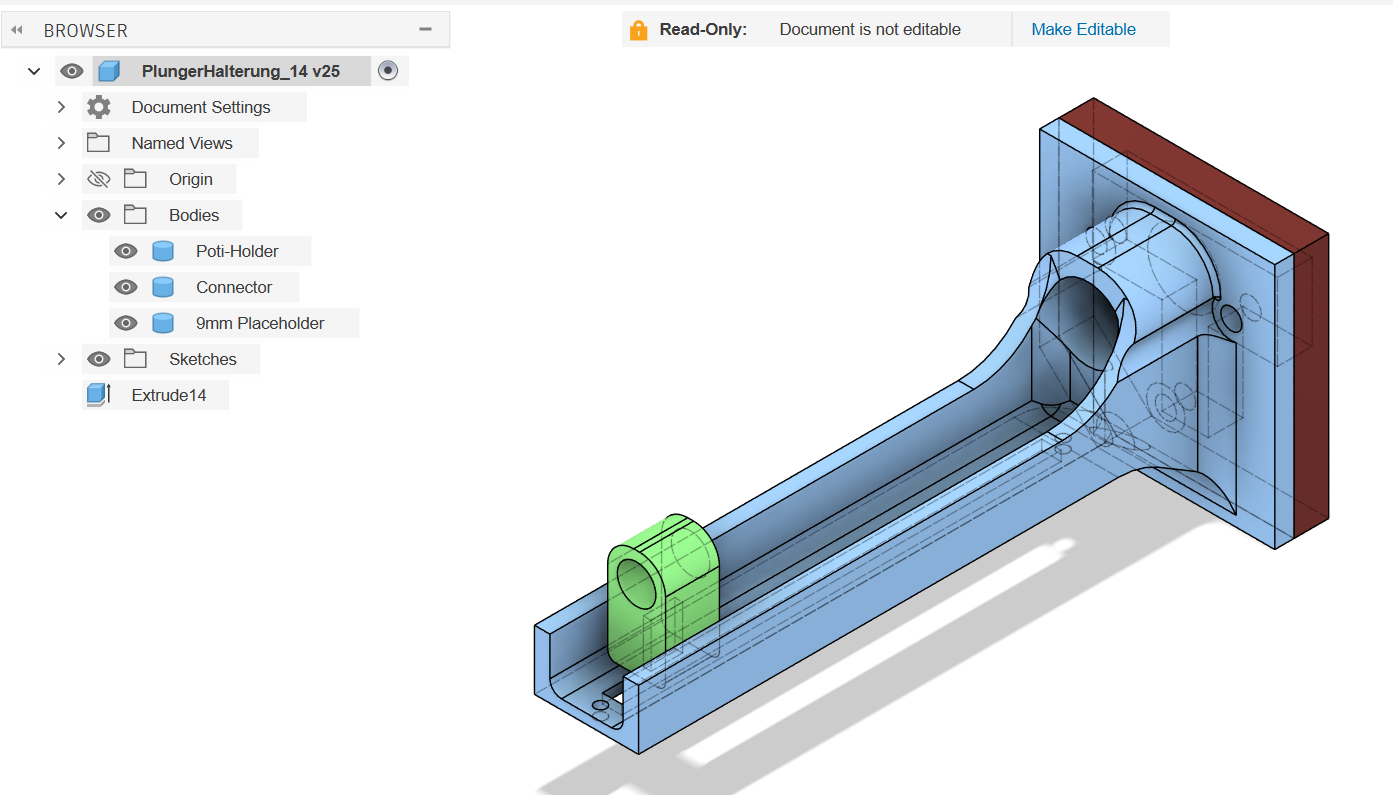
Many years ago, I started with Autodesk Fusion 360. And it is awesome. The student version is free and will get you addicted real quick. While the learning curve can be a little steep for very novice users, it’s hard to go back to anything else once you tried it. There’s a free personal license, that can be used until you reach a revenue of 1000 USD from your side business that you use Fusion for.
But: Dreaming of living off what’s currently a hobby at some point, I don’t like the idea of possibly ever hitting a limit that will either force me into an expensive subscription, or an entirely different tool – even if I don’t pursue that dream right now. Looking at its advertised features, I feel like am only using a small subset of what Fusion offers – so maybe it’s reasonable to break free now and try something else?
Professional Tools Overview
First, let’s take a look at the most popular CAD tools out here, which also offer a free or hobbyist version:
| CAD Program | Hobbyist License Revenue Limit, US$ / year | Lowest commercial License Price, US$ / year | Comment |
| SolidWorks for Makers | $2000 | $2600 | SolidWorks for Makers costs $49/year. Files can’t be opened in regular SolidWorks |
| Autodesk Fusion 360 | $1000 | $680 | |
| OnShape | $0 | $1500 | All designs are public w/Hobbyist |
| Siemens Solid Edge | $0 | $2676 |
To summarize, professional CAD Software prices are a joke for hobbyists that have some commercial ambitions as well as small businesses. While the free offerings are nice, the entry level for commercial licenses is just way too high.
Looking at SolidWorks for Makers: You earned $2200 last year? – Nice! Now you have to pay us $2600 per year. Or OnShape: You want to sell your STLs on Cult3D to earn some money for a coffee? – Nice! Please pay us $1500!
I am thinking: Why do they even try to get people hooked, if they don’t offer a smooth transition to their commercial licenses?
Free Alternatives
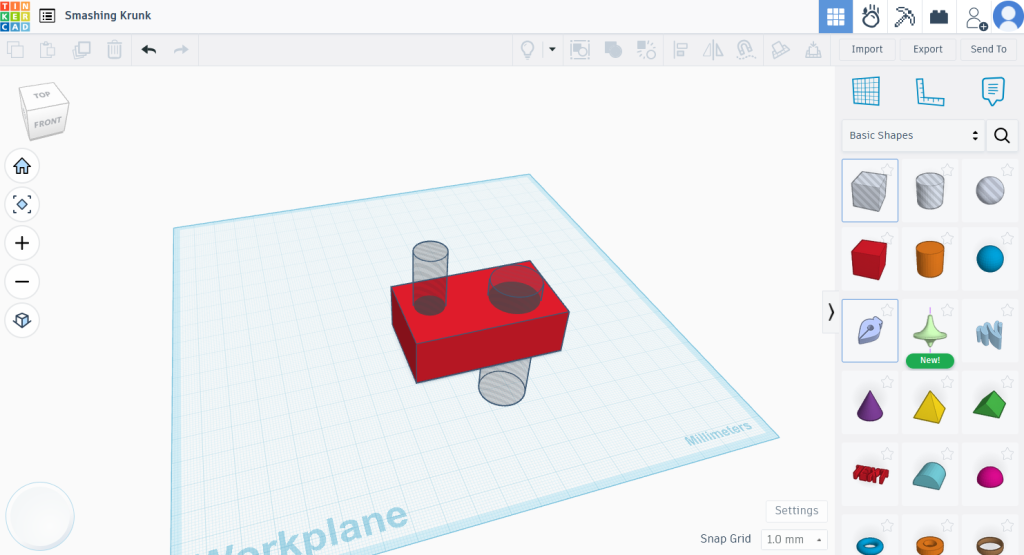
Okay, apparently I am not the target group for these commercial licenses, what about free solutions? Coming from Autodesk Fusion, entry level tools like TinkerCAD are nice, but don’t offer parametric designs. It’s just not the level of control that I am used to and doesn’t offer the level of complexity that I need.
Parametric Designs for Free: FreeCAD
FreeCAD seems like a nice alternative – at first glance. When I tried FreeCAD, I made a simple design: A rectangle from 4 lines with 2 holes. The fact that there’s no snapping, neither to existing points nor with a modifier key to keep the lines in 45 or 90 degrees, was already a bad start. But after adding the perpendicular constrain to one corner, I was unable to add any further dimensions to the sketch. FreeCAD just kept throwing errors at me, that the value would not be valid due to some constrain. But the circle that I tried to position has no constrain at this point?
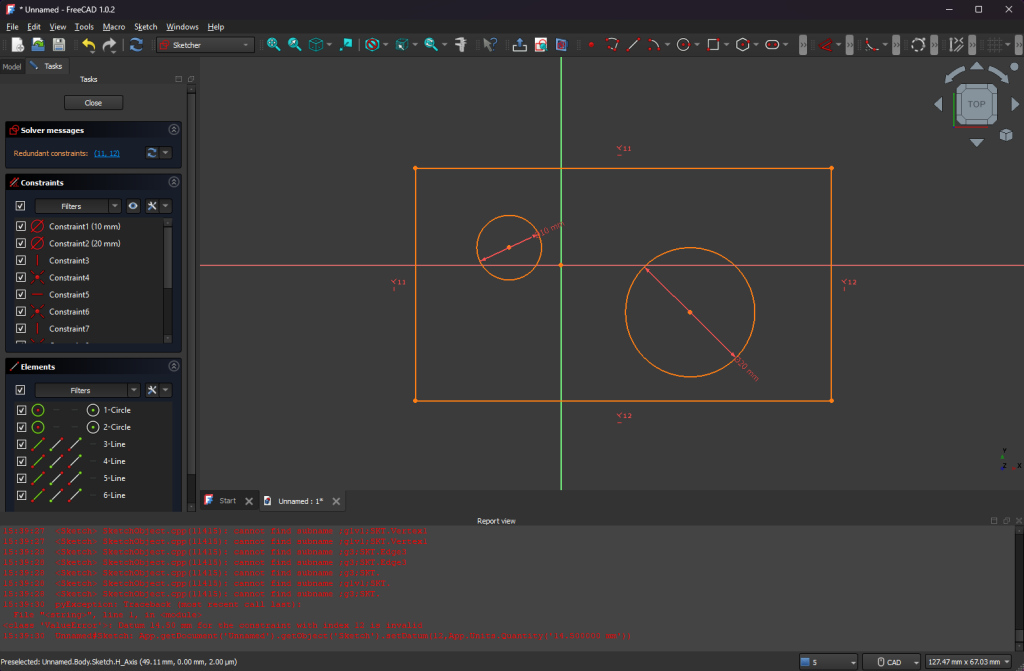
Maybe this just a quirk. I bet there are workarounds and once you get the hang of it, you can create sketches like this at ease. But If simple things like this already cause problems, how will it behave for large projects with hundreds of objects and sketches? This is not the experience I am looking for.
While FreeCAD seems the most popular one, there are other free and open source solutions that offer parametric designs. But after trying FreeCAD and looking at a some screenshots from other tools, I couldn’t bother looking any further into these.
Back to the drawing board. If there’s no free option, maybe we can find one without a subscription?
One-time payments: Atom3D
The best subscription free option at a reasonable price seems to be Atom3D with a $215 perpetual license. This does not include updates. For ~$60 you can get a year of (optional) Updates. This sounds great – assuming the current version already has everything I need, I won’t have to pay for updates.
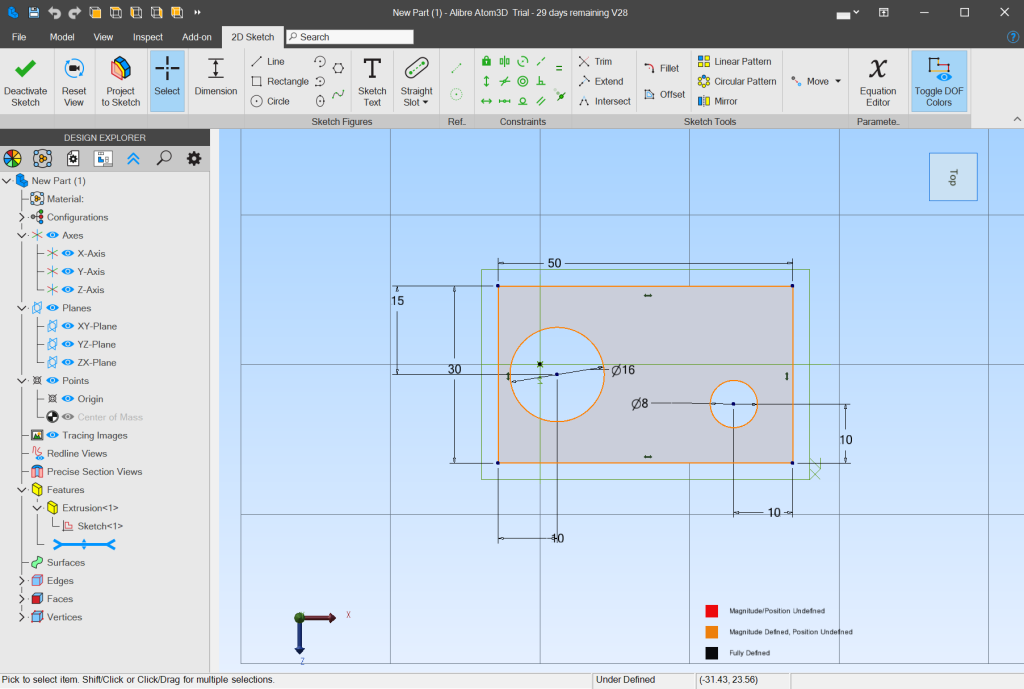
Everything works as expected. The usability is quite a bit different from Fusion, though. Compared to FreeCAD the sketch editor has snapping, though, and unlike FreeCAD it doesn’t feel like it constantly gets in your. Overall, it still feels a lot more clunky than Autodesk Fusion and lacks some convenient features that I am just too used to: For example, when adding a dimension, you can’t click on an existing one to reference it. Atom 3D supports referencing other dimensions, but you have to select them from a list, or know its name.
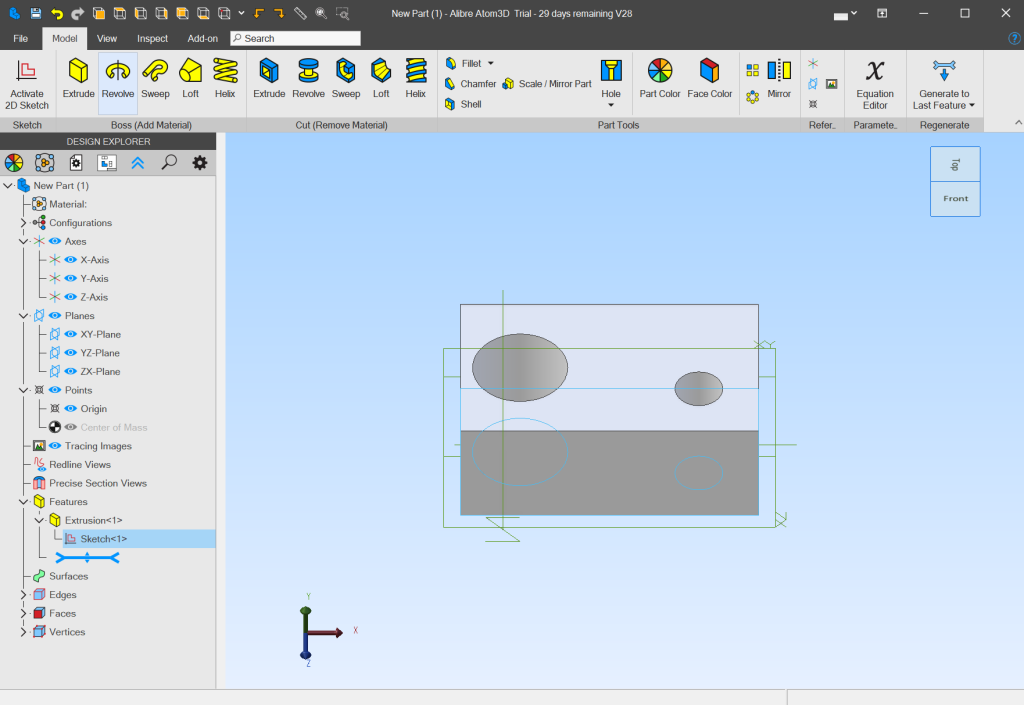
Overall, It’s not the prettiest – but more importantly: It’s just not as fun to use as the subscription based alternatives. Given how much time I spend in these tools, paying $215 for this app and then suffer through its UX does not feel like a good deal to me.
No way around the big players?
It seems we will just have to start with one of the personal licenses. Once our business starts traction, we’ll have to hide in the shadows until we earn enough to justify the hefty prices of the big tools. There’s just no other way, as free alternatives would cause a significant impact on performance and motivation. Or is there?
Shapr3D
During my research, I found one alternative, that I did not here about before: Shapr3D.
It has a free plan that can be used commercially and if you need the pro features, it has a $300 per year subscription, if paid annually. That’s $15 vs $57 per month for Fusion. While it’s the best price, yet, you also have to commit quite early: There’s a 14-day trial, after which you are down to the free plan.
While the feature-set of the free plan are good enough for most hobbyists, you are also limited to 2 projects – with no option to easily switch projects locally. You either need to put all your designs into these 2 projects or kill your darlings once you start the third project.
It’s the best and most polished alternative I have seen so far: It has good control schemes for Mouse and Keyboard, Touchpads and Touchscreens. It’s even designed to also run on tablets and augmented reality, if you are into that.
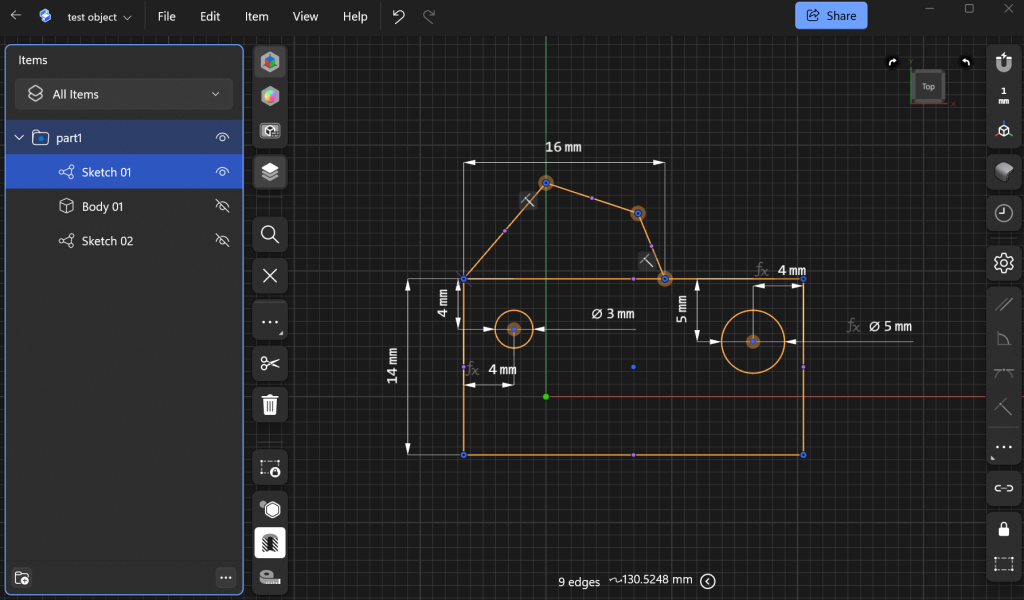
While it doesn’t offer a complex component system like Fusion, you can group sketches and bodies into folders. Sketches can use faces of existing bodies as their reference plane, and dimensions can reference other dimensions. But for some reason, you also can’t just select an existing dimension to reference it, if defining a new one… It has a timeline to go back in time, without undoing everything. It supports copying bodies and creating variants. Furthermore, it features section views to visually cut bodies and inspect it’s insides. In short Shapr3D features feel complete.
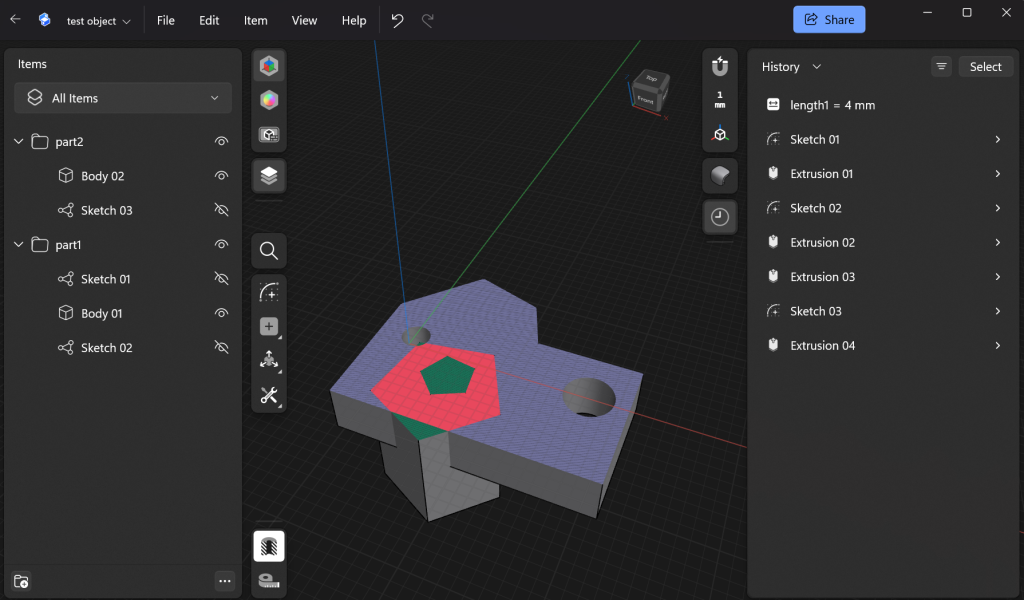
I am convinced that, if you are just starting out, the learning curve is much more mellow than with Fusion or SolidWorks, while it still allows you to utilize the full power of parametric designs. Coming from Fusion, it’s quite a change to let go of components and some other features. But if you never used it, I suppose you won’t miss it.
The projects are stored in their cloud, and you will lose access when you cancel your subscription, but the data remains – if you keep your account. You can just re-subscribe and all your projects will still be there.
Conclusion
After trying all these alternatives, I think I have come full circle. The grass always looks greener on the other side, but then it turns out, some neighbor’s grass are actually just green painted rocks. So I‘ll stick with Fusion 360 for as long as I can. It is the tool I have grown used to, and it handles my large, complex projects really well.
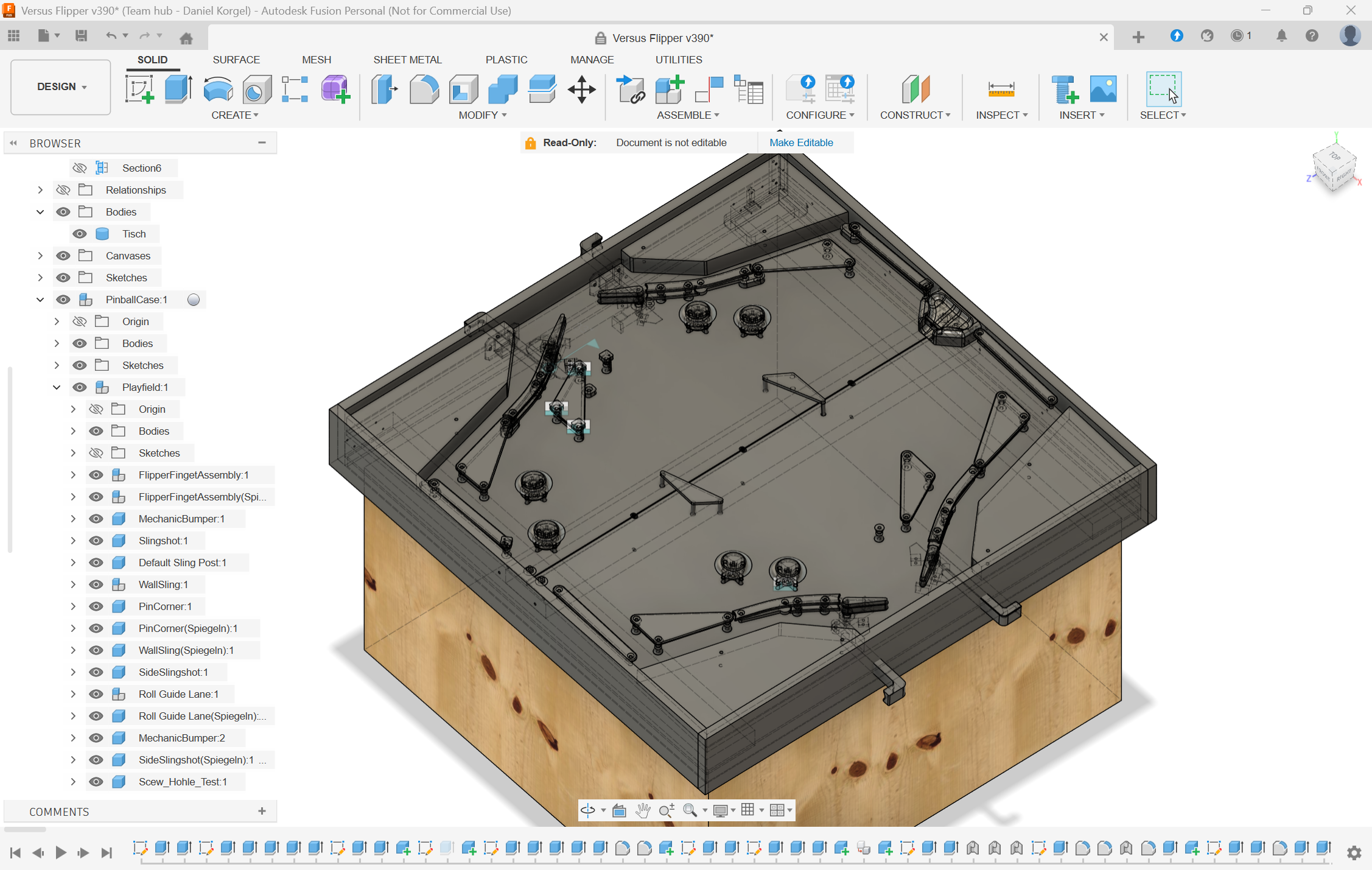
Shapr3D is a solid alternative and if I would start out today, I probably go for this alternative. But then, as I said in the beginning: If you got into a professional CAD solution like Fusion once, it’s hard to go back. I tend to model not just simple individual parts for my projects, but the whole thing. As of now, I don’t see myself managing this level of details in a solution like Shapr3D, yet.
0 Comments